
Tezos (XTZ) is an open-source blockchain platform that supports smart contracts and decentralized applications (dApps). It is known for its upgradeability without hard forks and on-chain governance. Its core mechanisms include Liquid Proof of Stake (LPoS) consensus, community-driven protocol upgrades, and a formally verified smart contract language.
f2pool, in partnership with stakefish, provides users with stable and secure XTZ staking services. You can stake XTZ on stakefish to earn rewards. The steps are as follows:
1. Preparation
1) Prepare a wallet.
You need an XTZ wallet such as Kukai, Temple, Umami, etc., and deposit XTZ into it.
Important:
Always back up your wallet private key and never disclose it to anyone.
2) Understand Delegation vs. Staking
On the Tezos blockchain, you can participate in two ways:
Delegation: Your XTZ remains liquid and transferable at any time. Rewards accrue passively. All funds in the wallet are delegated, and delegation rewards are automatically re-delegated.
Baking (Staking): Requires delegation first. Funds are locked after staking. Potential rewards are higher, but there is an approximately 4-day unbonding period when unstaking.
You must first delegate to a Baker/Validator before you can stake.
2. Delegate XTZ
-
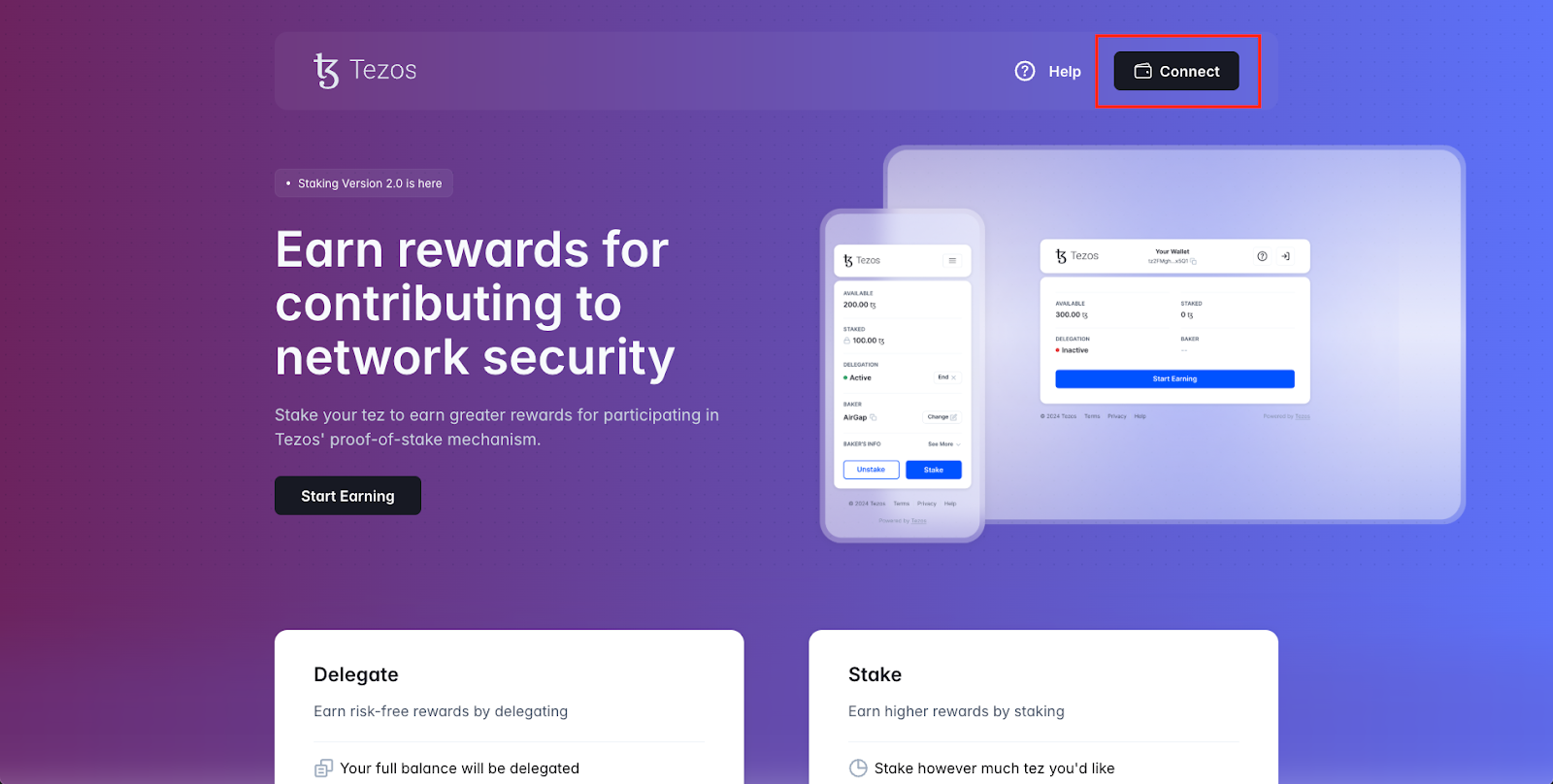
Visit the dApp at stake.tezos.com. Click “Connect” to link your wallet.
-
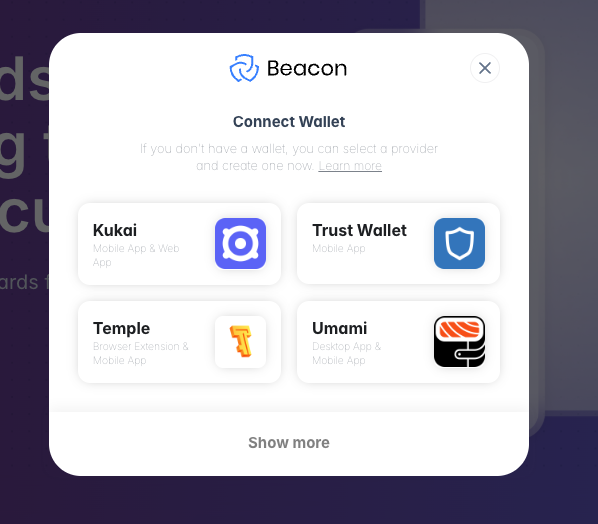
Select your wallet and confirm the connection within the wallet.
-
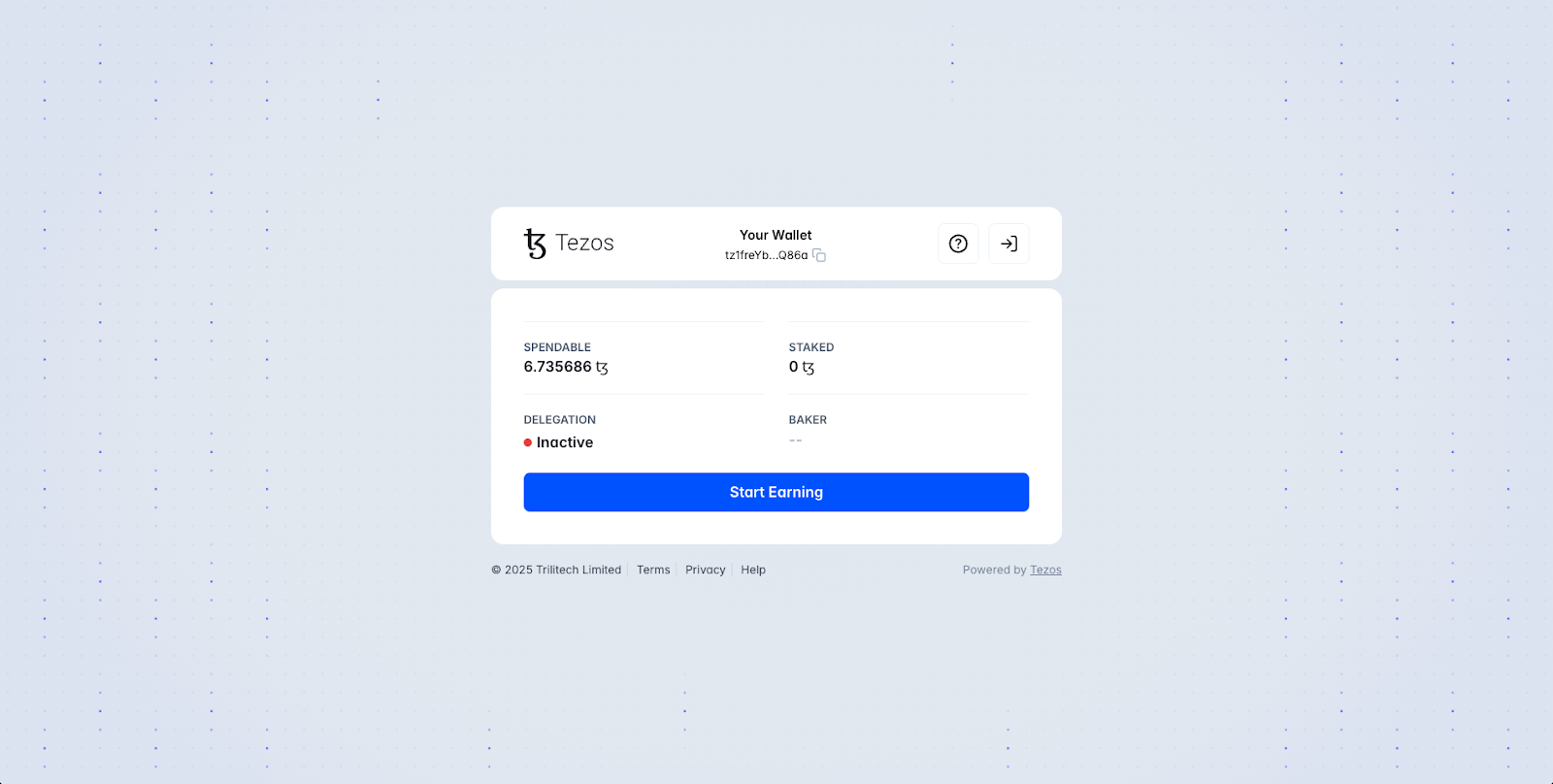
Check wallet status. After connecting, your balance and current delegation status will be displayed. If no funds have been delegated, the status will show “Inactive”. Click “Start Earning”.
-
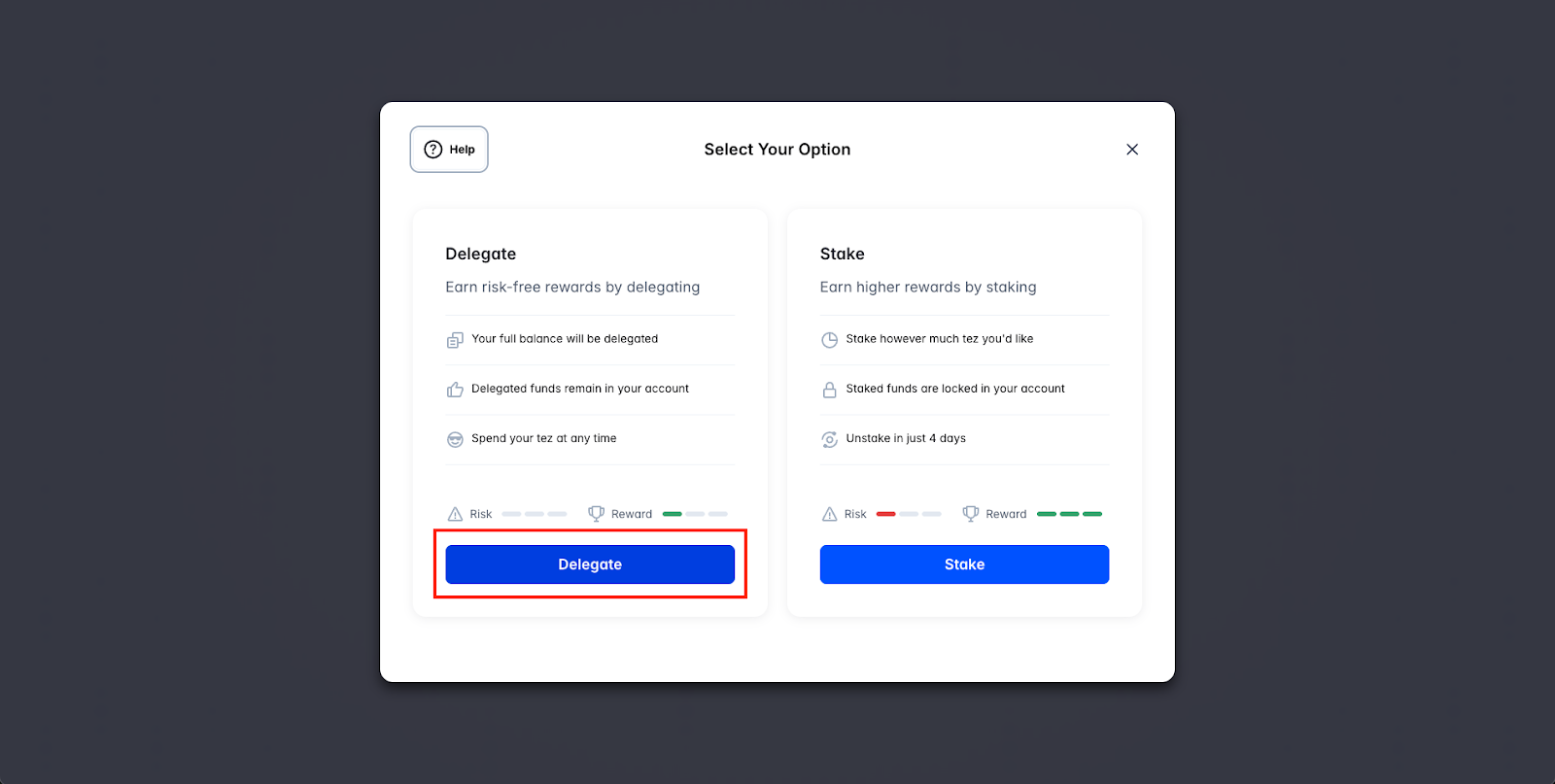
Choose Delegation or Staking.
Delegation: Funds remain liquid with standard rewards.
Stake: Requires delegation first. Funds are locked with an approximately 4-day unbonding period and higher rewards.
In this walkthrough, we’ll continue with delegation.
-
Select a Baker.
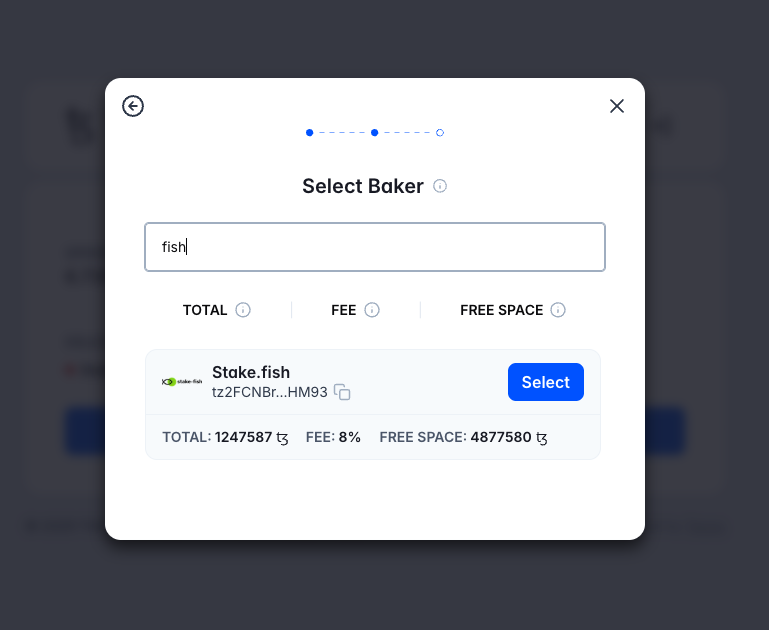
Click “Select Baker” and choose your validator. Search for stakefish and click “Select”.
-
Confirm Delegation.
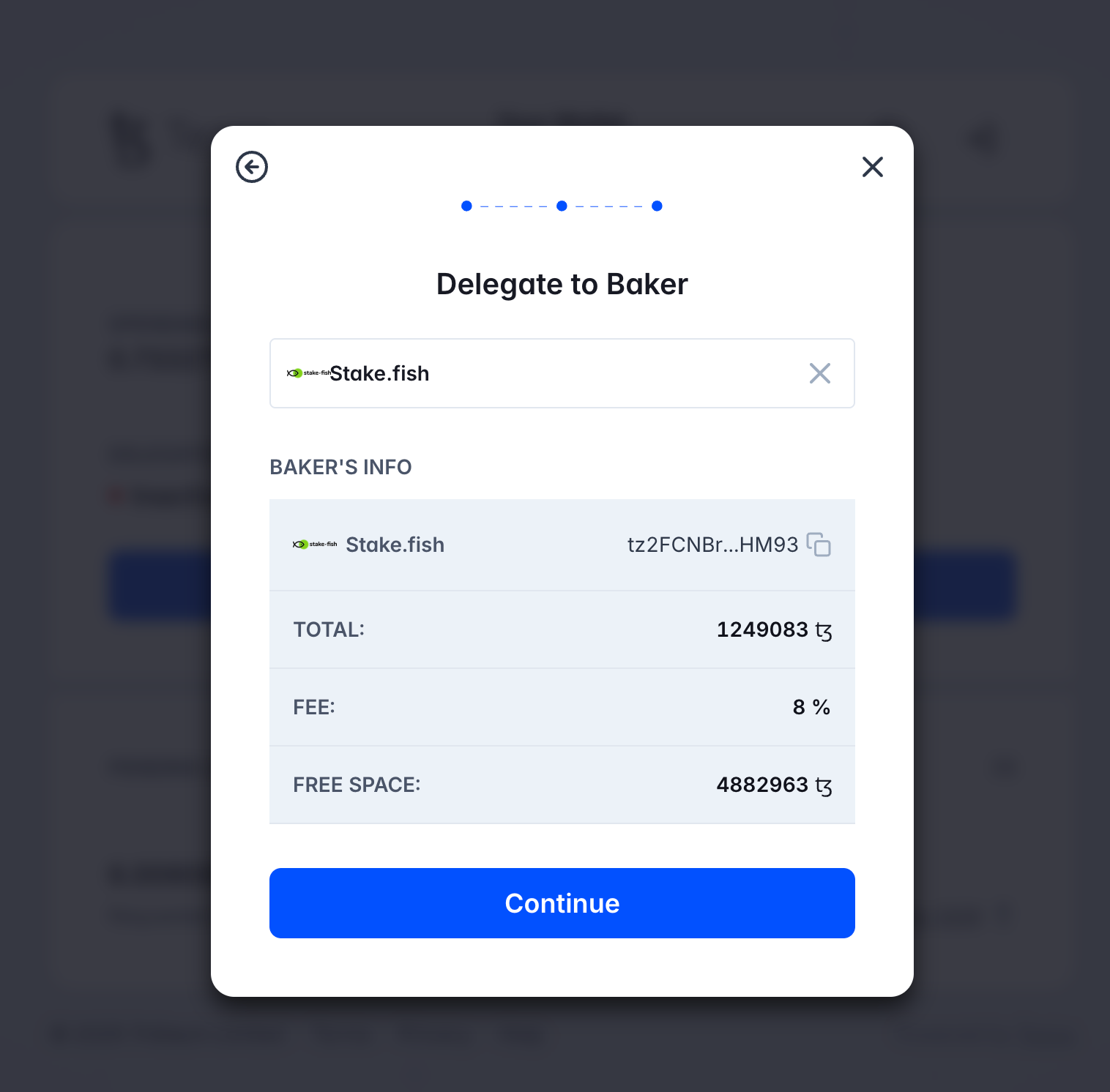
Review the Baker details (total stake, fee, free space) and click “Continue”.
-
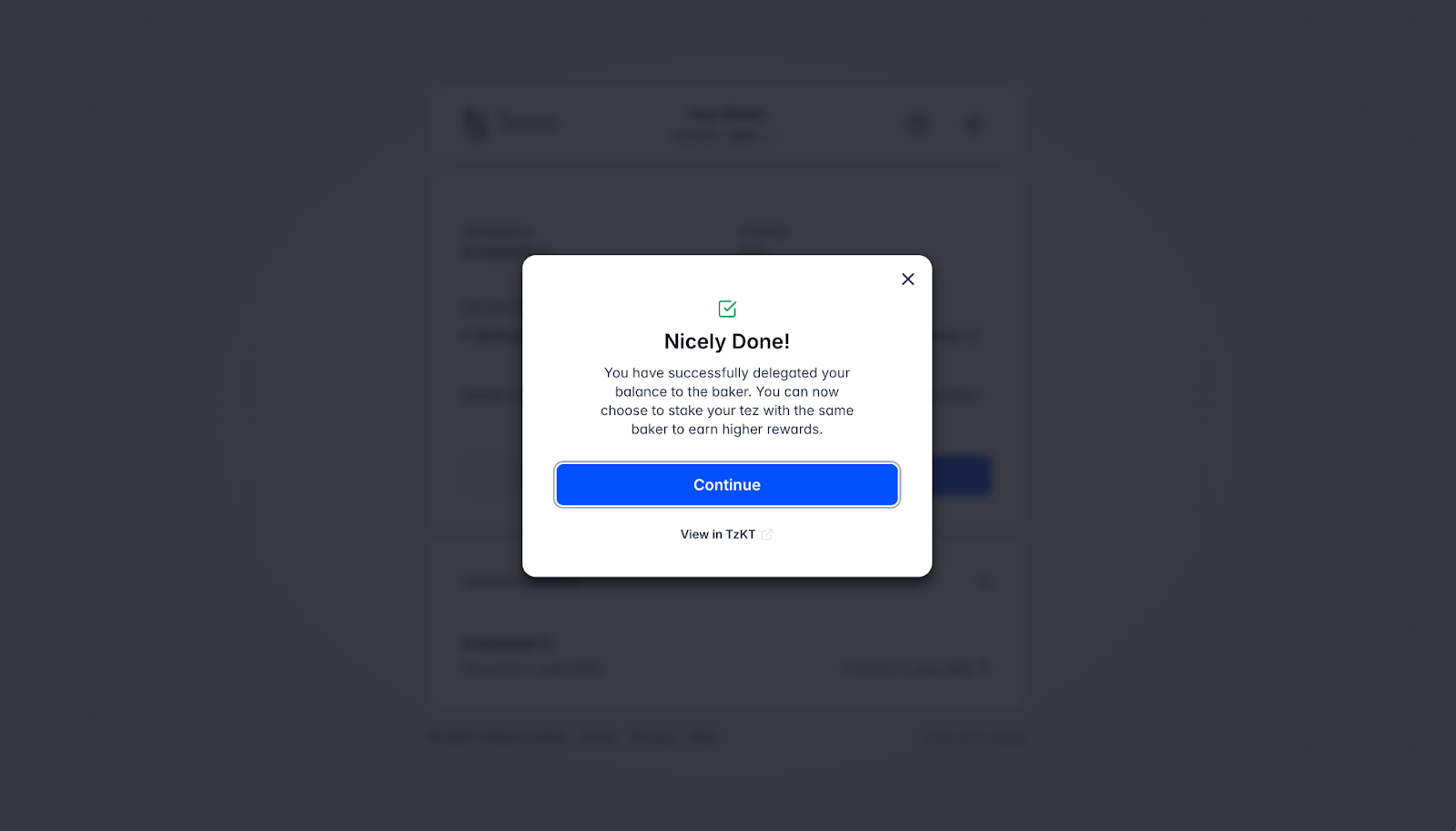
Sign the delegation transaction. Approve it in your wallet; once confirmed, delegation is complete.
3. Stake XTZ
-
If you only want to delegate, you may skip this section.
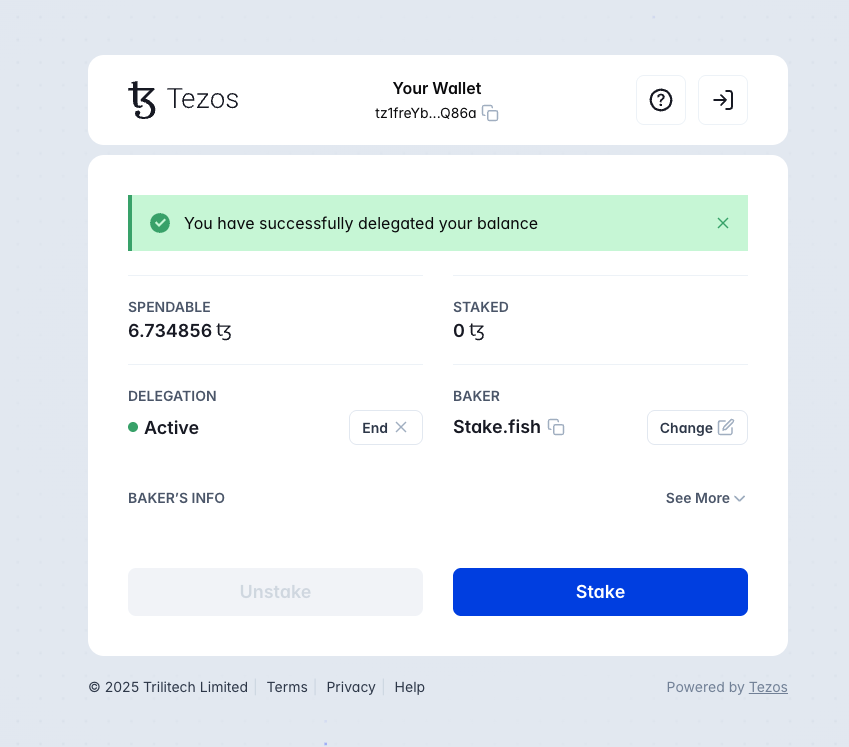
If you wish to stake on top of delegation for higher rewards, click “Stake” on the successful delegation page.
-
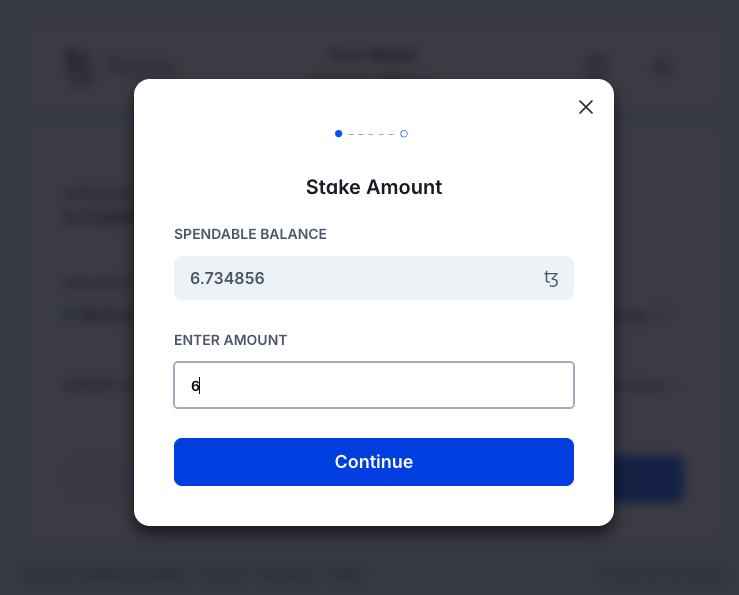
Enter the amount of XTZ you want to stake. Click “Continue”.
-
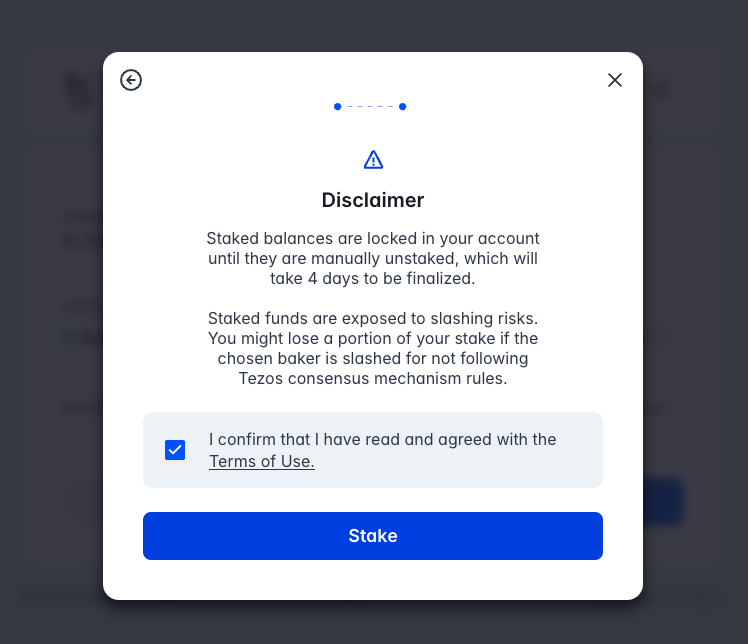
Accept the disclaimer.
Please review the staking terms:
Funds remain staked until you manually unstake (unstaking takes approximately 4 days).
There is a very low slashing risk (extremely rare on Tezos).
Check the box to accept, then click “Stake”.
-
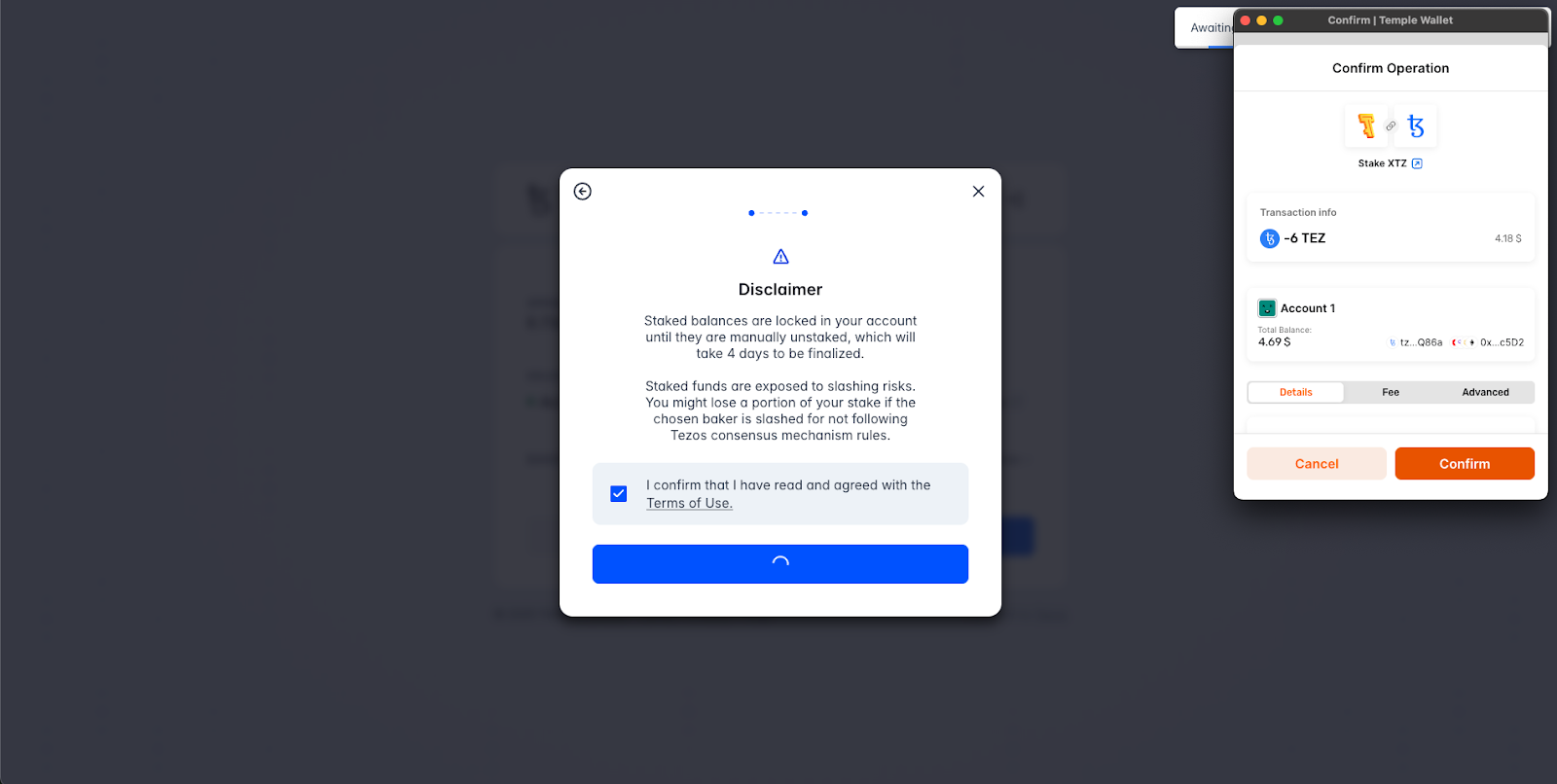
Confirm the transaction in your wallet by clicking “Confirm”. Staking is complete once finalized on the network.
-
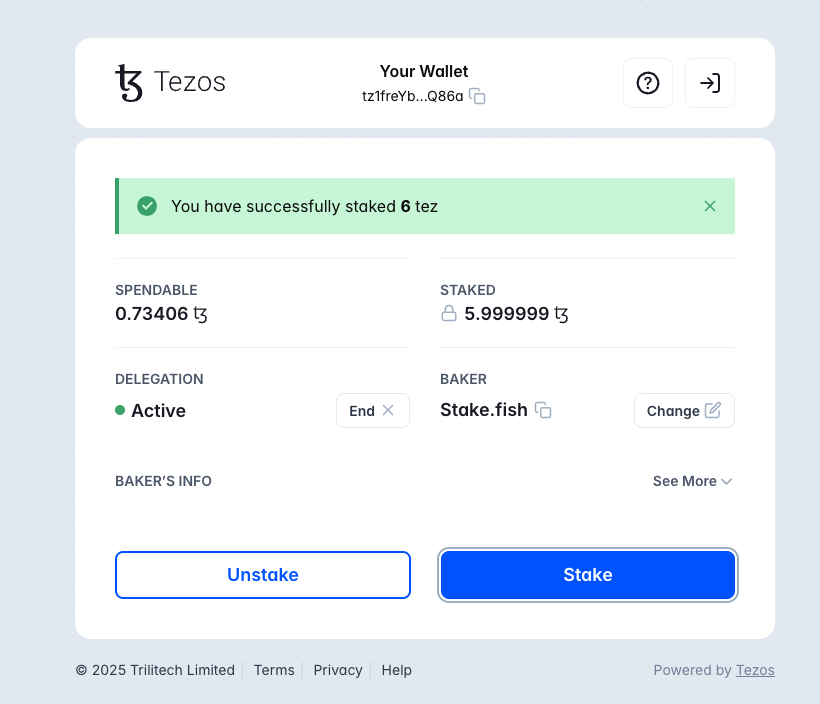
Check staked status.
New funds deposited to this wallet automatically join Delegation, but additional staking (Baking) still requires manual confirmation.
-
Important Notes.
There is no minimum staking amount, but we recommend keeping a small amount of XTZ in your wallet for transaction fees.
Reward schedule: First rewards arrive in ~30–44 days, then every 3 days (1 cycle). Rewards are auto-distributed with no manual claiming needed.
Compounding: Rewards are automatically re-delegated.
Slashing risk: Extremely rare on Tezos; stakefish has never been slashed.
4. Unstake
-
Click “Unstake” on the dashboard, enter the amount to unstake, and confirm the transaction in your wallet.
-
Notes:
You may unstake at any time, but the process takes ~4 days. No staking rewards are earned during this period, and the unstake cannot be canceled; the XTZ cannot be traded or transferred.
Unclaimed rewards arrive in approximately 15 days.
Comments
0 comments
Article is closed for comments.